 by
by
📌 AUTHORIZED ESN RESELLERS
Dear KnockOut4Fun Players,
You can find the official resellers of KnockOut4Fun ESN Codes only through the links provided below.
Please carefully read the following important information regarding KnockOut4Fun ESN Codes:
ESN Codes sold on any website other than the official resellers listed below are invalid and unauthorized.
Any ESN Code obtained from unofficial sources and attempted to be converted into cash will be blocked by KnockOut4Fun, and the account involved will be subject to necessary actions.
Players who purchase ESN Codes or any other products from illegal third-party websites are fully responsible for any possible consequences.
KnockOut4Fun does not take any responsibility for ESN Codes purchased from unofficial or unauthorized websites.
⚠️ To ensure the safety of your account and transactions, please purchase ESN Codes only from our official resellers listed below.
👉 You can access our official resellers by clicking the links below:


PAYPAL
Detailed Information About PayPal Payments
⚠️Click on the Power Up Store tab from the account you are logged into.
Select the amount you would like to purchase, complete the payment via PayPal, and finalize the transaction.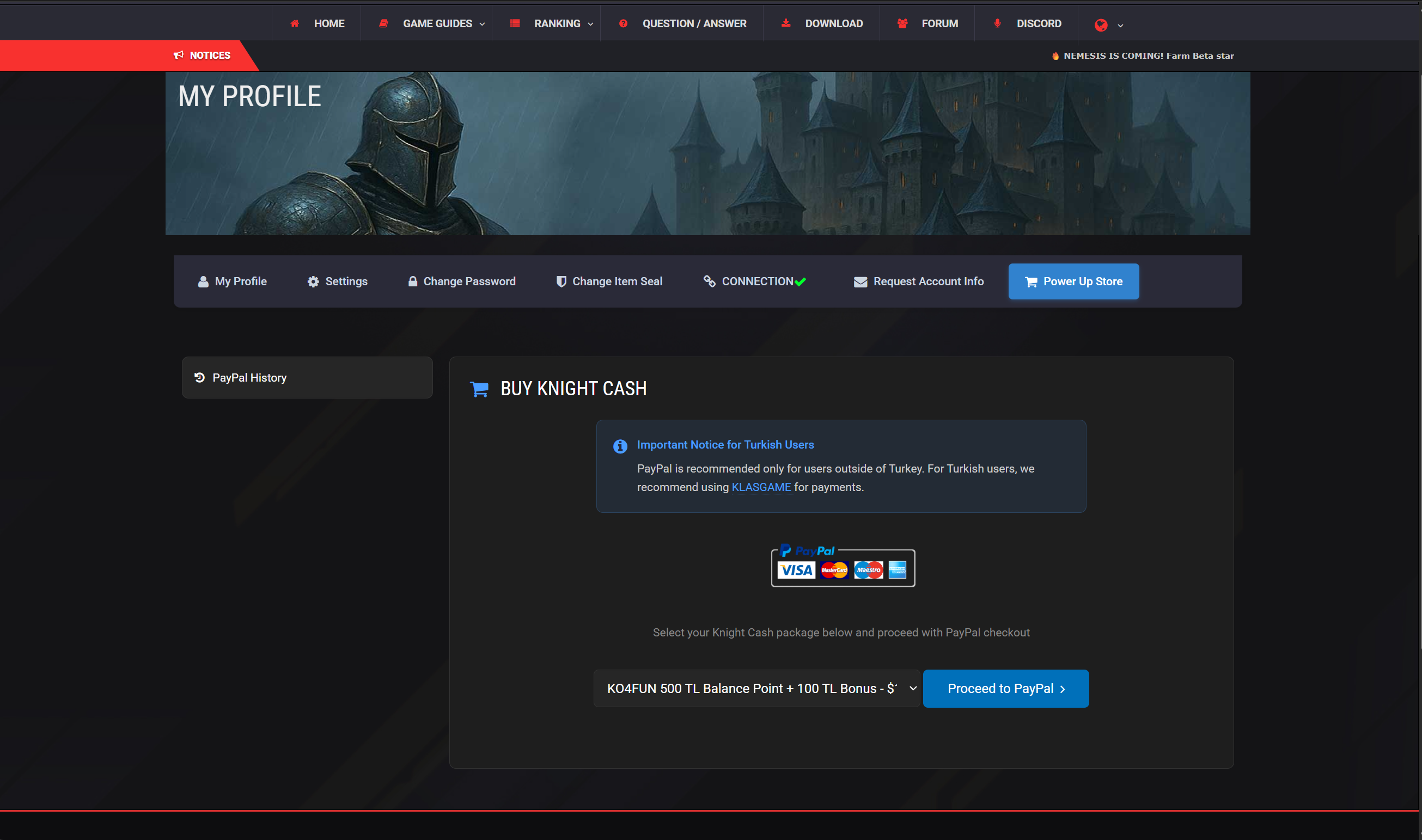
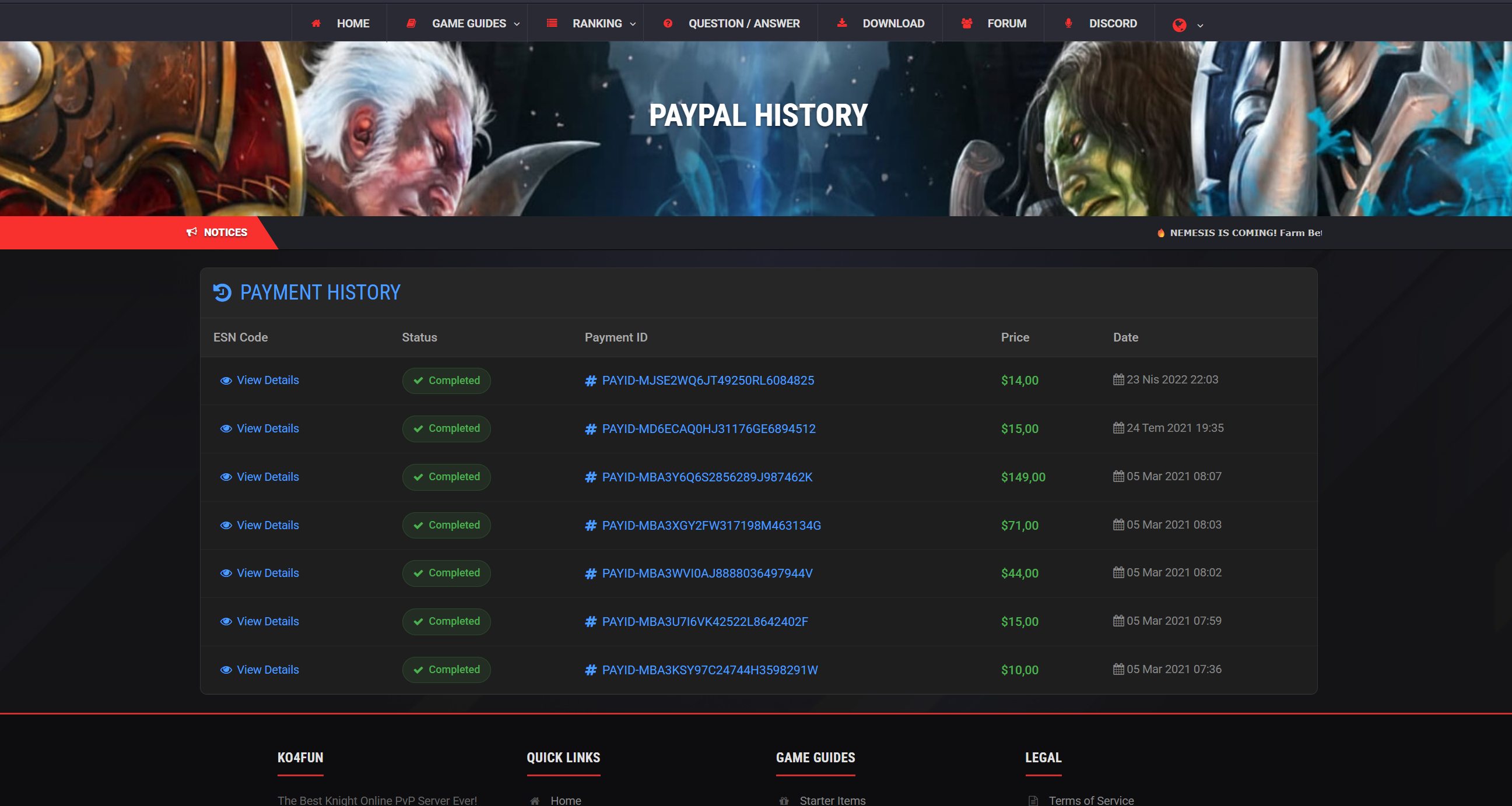
⚠️You can view the KnockOut4Fun balance codes you purchased in the PayPal History on the left side.
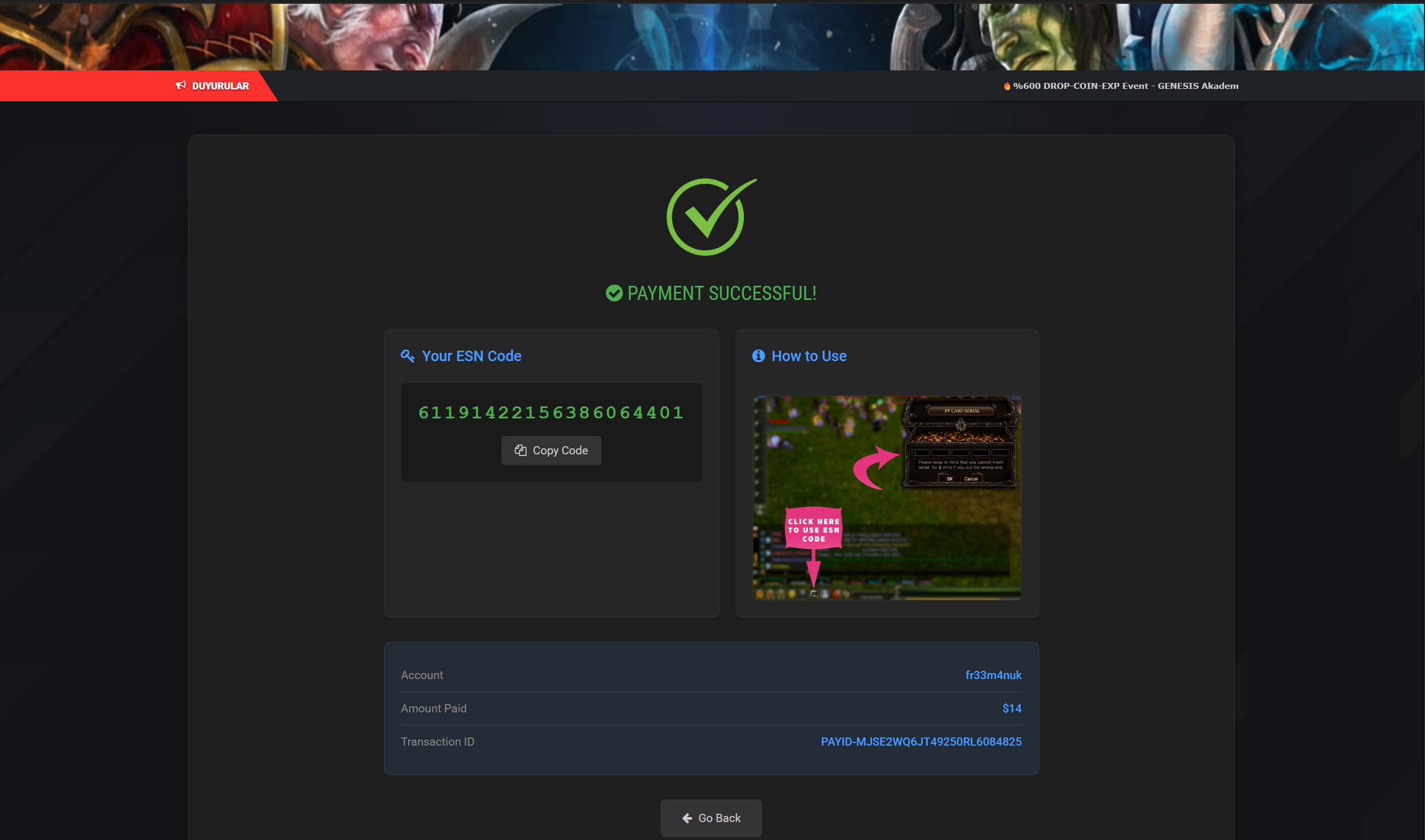
Redeem the KnockOut4Fun balance code you purchased by clicking the 'C' icon at the bottom left in the game, as shown in the screenshot, and entering your code. Once entered in the game, the balance will be loaded onto your account.